If you're a web developer who has built a static HTML website, you've probably experienced the scenario where your client wants to make updates to their site but you don't have an easy way to facilitate that. You could have them email you the changes or give them access to the raw HTML on a hosting platform, but that's far from an optimal solution. In today's fast-paced digital world, clients expect to have easy access to a platform where they can quickly and easily update their site or create new content. This is where a content management system (CMS) comes into play. In this blog post, we'll explore the benefits of migrating your static HTML site to a CMS called Raytha, and how it can improve both your client's user experience and your website's SEO.
Github Pages to CMS
We are going to convert this static HTML site: zackschwartz.com, which is currently hosted on Github Pages to the Raytha platform. The HTML is stored here: https://github.com/apexdodge/apexdodge.github.io so the first thing we need to do setup our fresh installation of the Raytha platform with the new layout of the static HTML site.
The default layout is located here: https://github.com/apexdodge/apexdodge.github.io/blob/master/_layouts/default.html
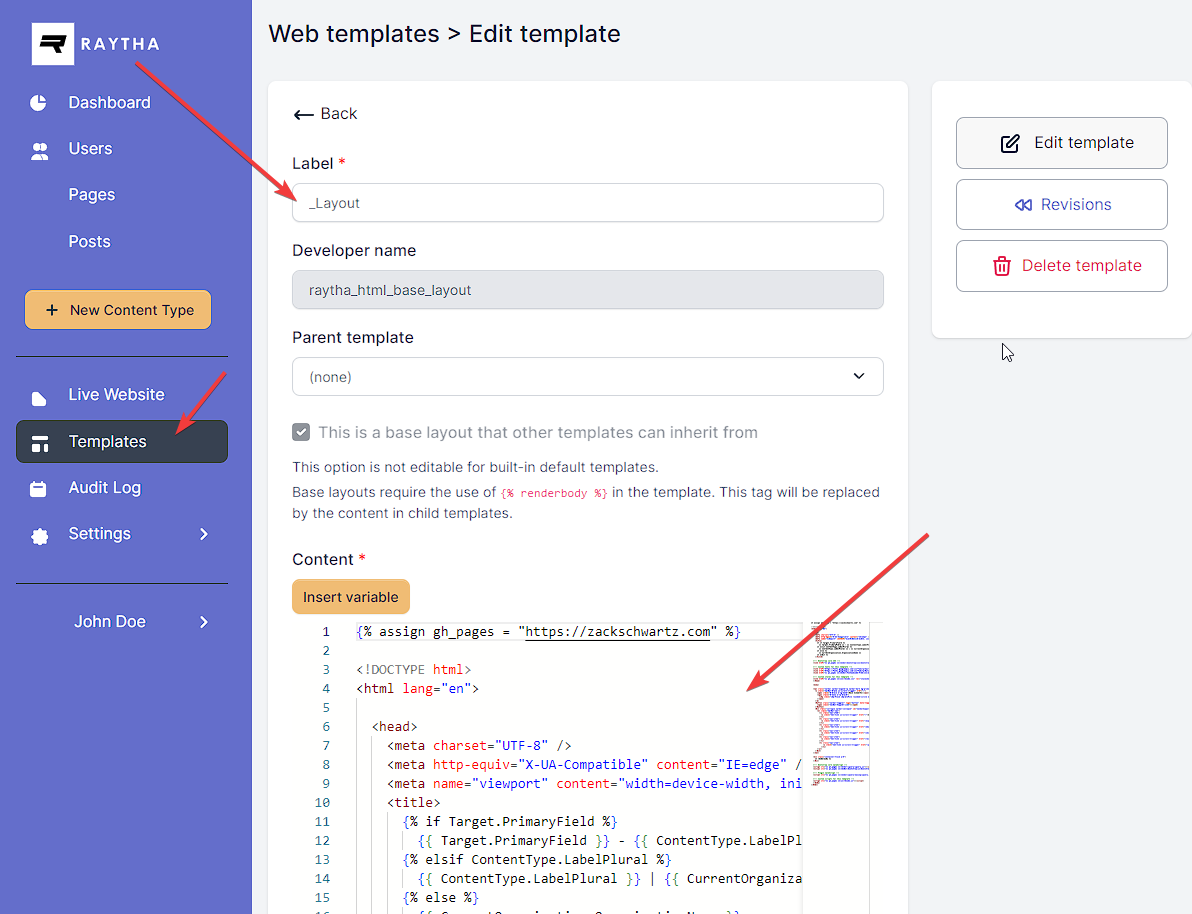
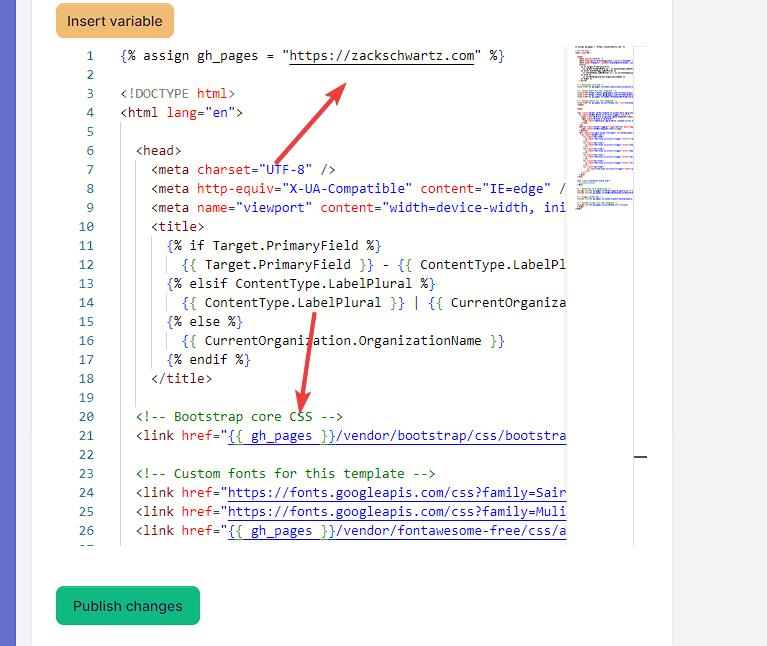
In Raytha, we can clear out the content under Templates > _Layout and replace it with the content for our new site.
Be sure to include the {% renderbody %} tag in the _Layout template.
You can keep the static files such as css, fonts, and javascript files on Github Pages if it makes sense to do so.
From there, you can edit any other templates that are relevant to the site. Check out the Youtube video above for a full walk through from start to finish.