I gave Claude one prompt. It built this entire website.

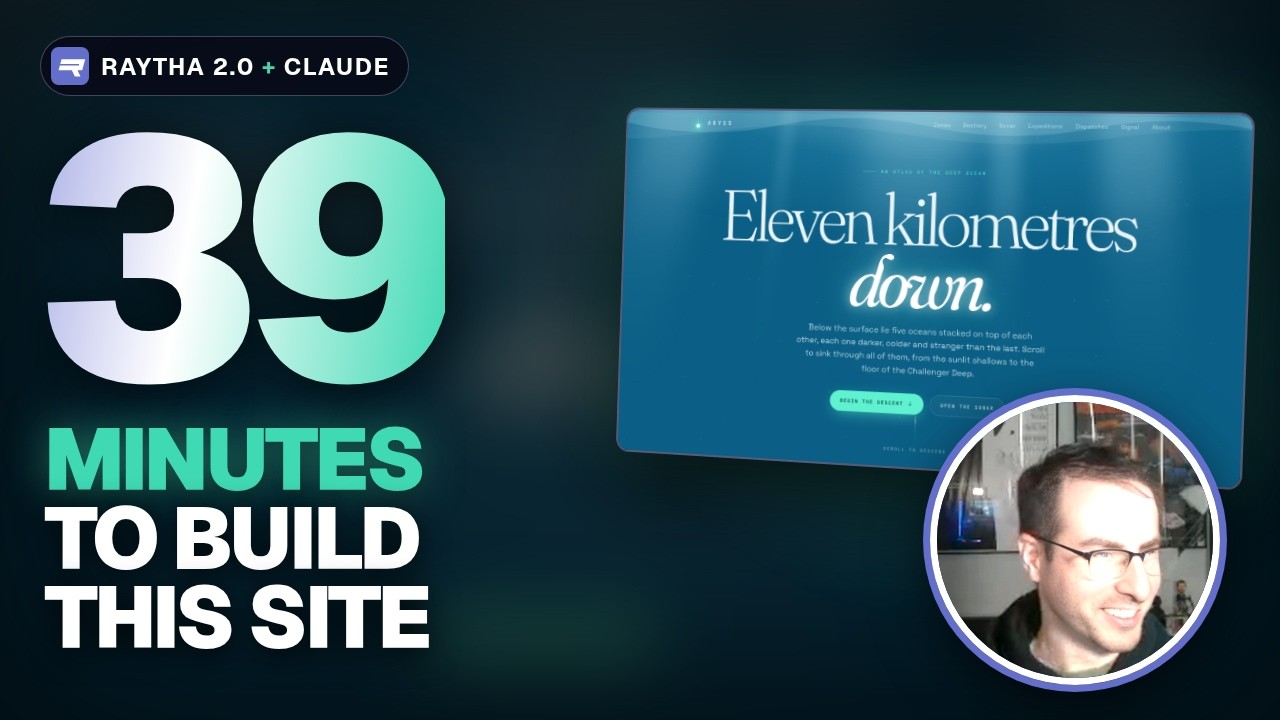
Raytha 2.0 ships with a CLI built for AI agents. To see how far that goes, I deployed a fresh Raytha site on Railway, gave Claude Code an API key and a single prompt, and stepped away. Thirty-nine minutes later it had built ABYSS, an atlas of the deep ocean, without asking a single question.
The video above is the whole session, edited down: the deploy, the prompt, and a tour of what came back. This post covers the same ground in writing, with the commands, so you can try it on your own site.
The prompt
Apart from the site's URL and an API key, this is everything Claude Code was given:
Create a visually striking website of any topic of your choosing, but make good use of Raytha features, content types, functions, site pages, just blow us away with your imagination. Don't ask me any questions. Go.
It chose the deep ocean and built the site entirely through the Raytha CLI, one JSON command at a time: the content model first, then the theme, the widgets and pages, the content, and finally the functions. I didn't touch it again until it said it was finished.
What it built

- Five content types: zones, creatures, expeditions, dispatches and visitor signals, with 37 content items between them.
- A custom theme with its own layout, list and detail templates, and custom widgets for the site pages: a descent chart, a sonar console, a depth comparison, specimen strips, a stat band and a signal form.
- Site pages built from those widgets: the home page, the sonar, the signal page and an about page.
- Raytha Functions: a sonar endpoint that returns JSON for any depth, a form handler that saves each visitor's signal as a content item, and generated
sitemap.xmlandllms.txt. - Hand-drawn SVG creatures, written inline in the templates, for every animal in the atlas.


Try it on your own site
- Deploy Raytha. The Railway template sets up Raytha and PostgreSQL in one click. If you'd rather run your own infrastructure, see Deploy with Docker.
- Sign in to the admin, then create an API key for your administrator under Admins.
- Install the CLI:
On Windows, runcurl -fsSL https://raytha.com/cli/install.sh | shirm https://raytha.com/cli/install.ps1 | iexin PowerShell. - Point it at your site and check the connection:
export RAYTHA_URL=https://your-site.example.com export RAYTHA_API_KEY=your-key raytha doctor - Start your agent in the same terminal. Tell it to read
raytha guide build-a-sitefirst, then give it your brief.
Tip An API key has the full permissions of the administrator it belongs to. For an experiment like this one, create a key just for the agent and revoke it when the agent is done.
Build a site with an AI agent covers the whole workflow in more detail.
In the video
- 0:24 Raytha 2.0 and the new CLI
- 2:40 Sites one-shotted by an AI agent
- 4:22 Install the Raytha CLI
- 5:01 Deploy Raytha on Railway
- 5:48 Admin account and API key
- 6:23 One prompt to Claude Code
- 8:41 What Claude built in 39 minutes
- 10:01 Inside the Raytha admin
- 10:57 Touring ABYSS, the live site
- 13:51 Where this is all going
Where this is going
Raytha is still a CMS you can hand to a content team once the site is built. What changes is how much of the building, and the editing afterwards, can happen from a terminal. The same CLI that built ABYSS can update content and publish posts when you ask, so for anyone comfortable working with an agent, logging in to the admin becomes optional.
More sites built by AI agents are in raytha-examples, and Raytha itself is MIT licensed on GitHub. We'll keep putting Raytha through its paces on YouTube. If there's a site you'd like to see an agent build next, leave it in the comments there.


